A PC soundbar sits on your desk and can make speech clearer than monitor speakers. It suits people who want one bar for games, video calls and casual music. It can clear desk space, but check the connection and the fit under your monitor first.
A PC soundbar can clear desk space and improve speech over monitor speakers, but its connection label needs scrutiny. USB may carry digital audio, power only, or both; Bluetooth adds convenience but can add delay; and a wide bar can conflict with monitor stands.
What matters most
USB-C does not guarantee USB audio support.
Bluetooth latency is most visible in games, editing and video calls.
A 2.0 bar cannot create true discrete surround channels.
Desk reflections and a bar placed behind the monitor can reduce dialogue clarity.
How to choose
Prefer USB audio or 3.5 mm for predictable desktop sync.
Use Bluetooth mainly for casual music or when cable convenience wins.
Measure both bar width and height against the monitor stand and screen edge.
Before checkout
Confirm volume control behavior after sleep/wake.
Check headphone or microphone passthrough if the PC ports are hard to reach.
Look for an auto-standby setting you can disable if it cuts quiet audio.
A useful setup or audition test
Test speech, a stereo imaging track and a game at the normal desk distance. Switch between USB/analog and Bluetooth to expose latency or noise before committing to one input.
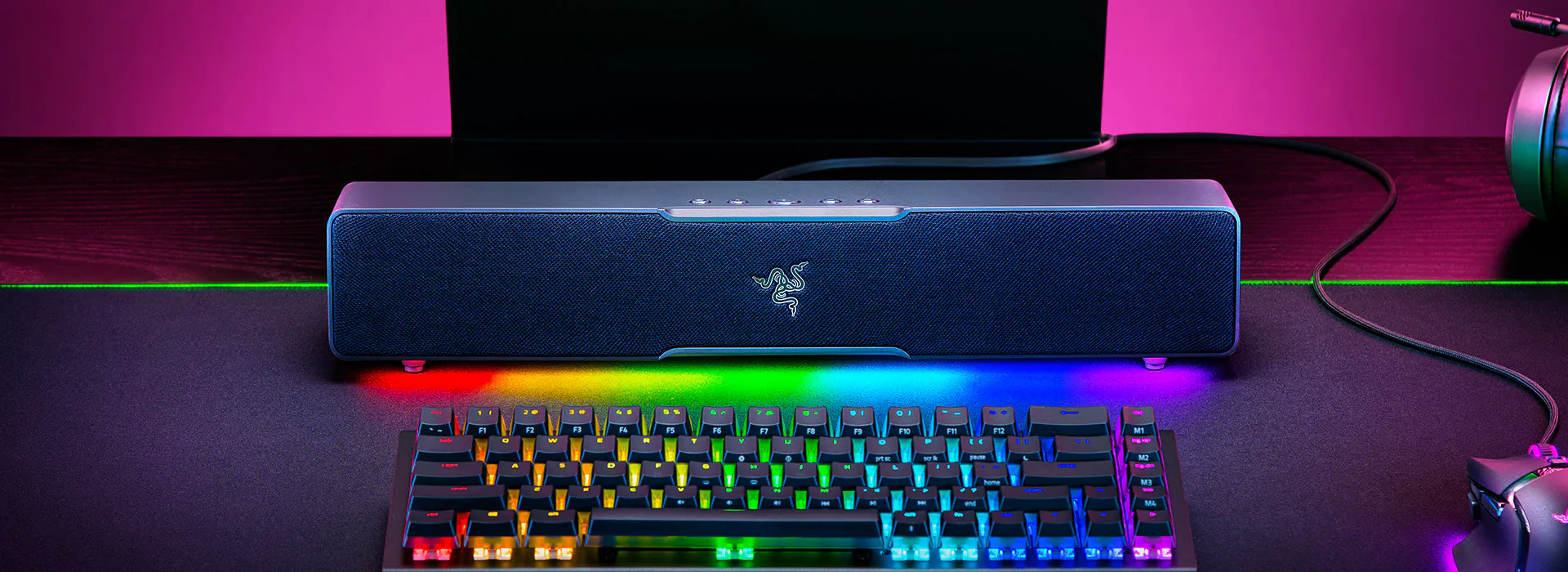
The Razer Leviathan V2 X is a compact USB-C soundbar with Bluetooth and RGB, but its lack of a subwoofer limits bass and TV use.
Read the review →
How do I choose a PC soundbar for my desk?
Start with the connection. USB audio or 3.5 mm gives predictable sync for games, editing and video calls. USB-C does not guarantee USB audio support. Confirm the bar carries digital audio over USB, not power only. Bluetooth adds convenience but can add delay, so keep it for casual music.
Then check the fit. Compare bar width and height with your monitor stand and screen edge. A bar placed behind the monitor can reduce dialogue clarity, and so can desk reflections. A 2.0 bar plays stereo and does not create true discrete surround channels.
USB audio
Digital sound sent from the PC to the bar over a USB cable. Some USB ports carry power only, so check the spec.
Bluetooth latency
The delay between what you see on screen and what you hear over Bluetooth. It shows most in games, editing and video calls.
2.0 channel
A stereo layout with left and right channels and no separate subwoofer channel. It does not produce true discrete surround.
Frequently asked questions
Which brand should I pick for a PC soundbar?
This list includes one model, the Razer Leviathan V2 X PC Soundbar. Judge it, or any other brand, on the same points. Check whether its USB port carries audio or power only. Confirm it fits under your monitor and offers a wired input for games and calls.
Is Bluetooth good enough for a PC soundbar?
Bluetooth works for casual music or when skipping cables matters most. It can add delay, which shows most in games, editing and video calls. For predictable sync at a desk, prefer USB audio or a 3.5 mm input. Switch between inputs at your desk to hear any lag or noise before you settle on one.
What should I check before I buy a PC soundbar?
Confirm how volume control behaves after the PC sleeps and wakes. Check for headphone or microphone passthrough if your PC ports are hard to reach. Look for an auto-standby setting you can turn off, since some cut quiet audio.