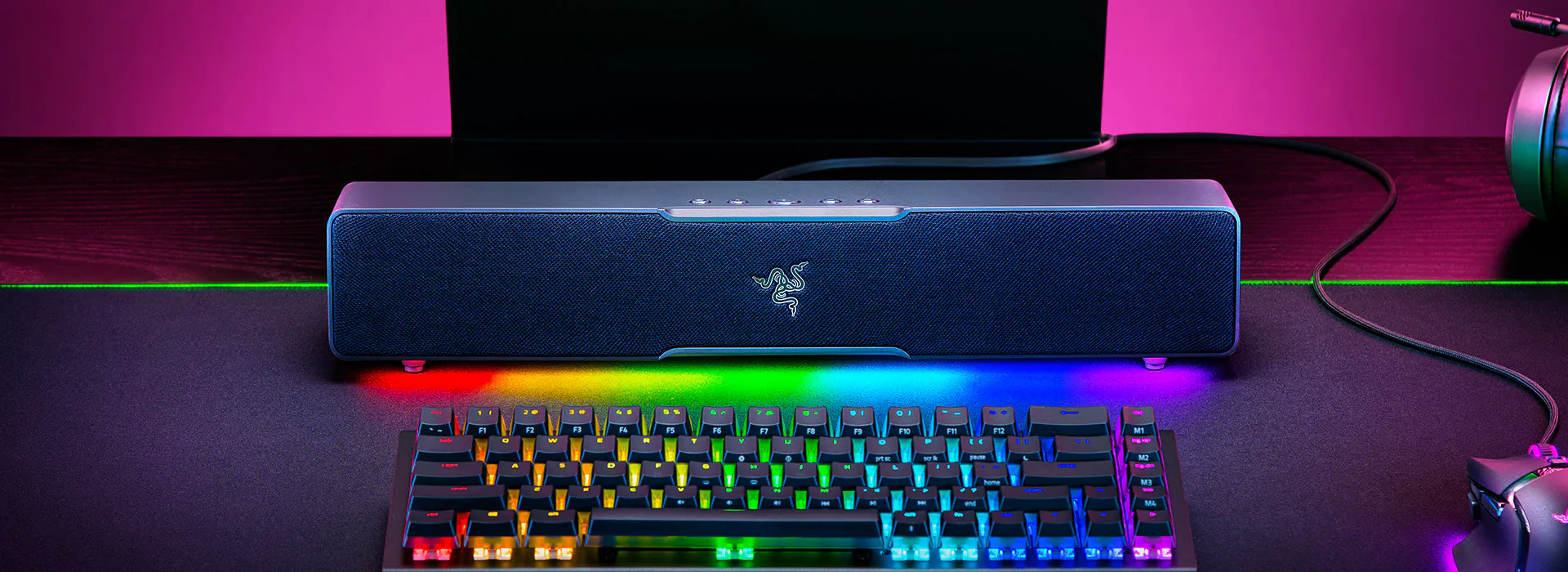
The Razer Leviathan V2 X makes sense for a narrow use case: a desktop listener who wants a tidy USB-C soundbar under a monitor, with Bluetooth available for a phone and Chroma lighting for a gaming setup. Razer listed it at US$99.99 when checked on September 12, 2026. That price makes the V2 X interesting, but only if you can live without a subwoofer, battery, optical input, or a full home-theater connection. If bass-heavy music is the priority, a 2.1 soundbar system is the better direction.
Table of Contents
What is the Razer Leviathan V2 X, and what is it not?
The name causes confusion because Razer sells several Leviathan products. The V2 X is the small, 2.0-channel model. It has two full-range drivers and two passive radiators. The larger Leviathan V2 adds an external subwoofer, while the V2 Pro adds a different beamforming and head-tracking design. The V2 X has neither of those features.
Razer describes the V2 X as a 400 mm USB Type-C PC soundbar with 90 dB output at 1 m, which depends on the power the source delivers. Those are manufacturer specifications, not an independent loudness measurement. Root-Nation’s exact-model review lists two 2-inch broadband drivers, two passive radiators, an 85 Hz–20 kHz frequency range, and an 845 g weight; the same review identifies Bluetooth 5.0 and SBC as the wireless path. Razer’s product page and Root-Nation’s review cover the exact V2 X, not the V2 or V2 Pro.
How does the V2 X connect over USB-C at a desk?
The V2 X’s strongest idea is a single cable. USB-C carries digital audio and power from a compatible computer, so there is no wall adapter and no separate audio cable competing for space behind the monitor. Razer says the output depends on the source’s power delivery, so a laptop, dock, monitor, or low-power hub may not behave identically. It is worth connecting directly to the computer if the soundbar seems quieter than expected.
The tradeoff is the rear panel: there is one USB-C port, not an optical input or 3.5 mm analog jack. The included cable is USB-C to USB-C. Press Start’s exact-model review notes that the reviewer needed an adapter for a PC with USB-A ports. That is simple to solve, but buyers should budget for a suitable cable or adapter instead of assuming every desktop has a free USB-C port. Press Start’s hands-on review also describes the soundbar as easy to place and less cluttered than a separate speaker-and-subwoofer setup.
Bluetooth is useful for a phone or tablet, but it does not turn the V2 X into a portable speaker. There is no battery; Root-Nation confirms that it must remain connected to power. Razer lists wireless pairing with mobile phones and Nintendo Switch, while USB audio targets a PC. For a television, console, or living-room arrangement, check the source’s Bluetooth behavior carefully. This is a powered desktop accessory first, not a universal TV soundbar.
How does the V2 X sound in games, movies and music?
Independent reviews broadly agree that the V2 X is most convincing at a desk. Press Start’s Kieron Verbrugge found clear, enjoyable game audio and said it held up at higher volumes, while reserving more criticism for music. The lack of a subwoofer shows up as less weight in bass-heavy tracks and explosions. The review recommends the compact bar as a sensible upgrade over laptop or monitor speakers when desk space is scarce, not as a replacement for a 2.1 system.
Root-Nation had a more enthusiastic take on games and movies, describing detailed positioning and separated dialogue, but its reviewer preferred wired playback for music. Bluetooth uses the SBC codec, and the article’s claim that the wireless sound loses “30–40 percent” is explicitly subjective rather than a measured result. In practice, use USB audio when the computer is nearby and sound quality matters; use Bluetooth for convenience.
The passive radiators can add some warmth, but they cannot create the deep low-end extension of the full V2’s separate subwoofer. The bar is also short enough that left-right separation depends on seating distance and placement. Put it directly below the display with the front unobstructed. If you push it behind a monitor stand or keyboard, the compact footprint advantage becomes a placement problem.
What do Synapse, Bluetooth and RGB add to the V2 X?
Razer’s software is a meaningful part of the product. Synapse on PC provides EQ presets, source switching, power-saving behavior, and Chroma control. The Razer Audio app offers a similar set of controls on a phone. There are 14 lighting zones according to Razer. That is fun for a coordinated desk, but it should not be mistaken for a sound-quality feature, and installing software is optional for basic USB playback.
Press Start specifically valued the ability to switch between the soundbar and another playback device through Synapse. That can reduce the friction of moving from speakers to a headset during a call. Root-Nation likewise found the controls and software unusually full-featured for the price. Against that, a plain USB speaker with a physical input selector may be preferable for someone who does not want another background utility. Bluetooth pairing also introduces the normal wireless latency and SBC limitations; competitive gamers should use USB.
Who should buy the V2 X?
Buy it when the priorities are one-cable PC audio, a compact under-monitor footprint, casual gaming, and RGB customization. The dated US$99.99 listing checked on Razer’s site puts it in the affordable desktop category, but sale pricing changes frequently. Do not use the launch $100 figure from Ars Technica’s 2022 launch report as today’s guaranteed price.
Skip it if you need a battery, multiple physical inputs, serious sub-bass, or room-wide playback. The larger Leviathan V2 is the direct step up when a subwoofer and THX Spatial Audio matter more than desk simplicity. A pair of conventional desktop speakers may also give you wider separation for music. The V2 X’s value depends on its form factor; once you add adapters, a powered hub, and an external subwoofer, you have moved beyond the problem it exists to solve.
What do shoppers ask about the Razer Leviathan V2 X?
Does the Razer Leviathan V2 X have a subwoofer?
No. It has two full-range drivers and two passive radiators in the bar. The separate subwoofer belongs to the larger Leviathan V2 package.
Does it need a wall outlet?
It needs power over USB-C. A computer, monitor, dock, or USB-C wall supply can provide it, but the available power can affect output. It has no internal battery.
Can it connect to a phone?
Yes. Razer supports Bluetooth pairing with mobile devices. Bluetooth is convenient, while USB audio is the better choice for a nearby PC when latency and consistency matter.
Is Bluetooth 5.0 the same as low latency?
No. Bluetooth 5.0 describes the connection generation; the actual experience also depends on codec, source, buffering, and interference. This model uses SBC according to Root-Nation, so wired USB remains the safer option for timing-sensitive play.
Is the V2 X a good music speaker?
It can be enjoyable for casual listening, especially at a desk, but the compact 2.0 design limits its bass and stereo scale. The independent reviews point to games and movies as its stronger use cases.
What do the Razer Leviathan V2 X specs mean for a desk setup?
Razer and Root-Nation list the figures below for the exact V2 X. Razer's numbers are manufacturer specs, not independent measurements.
- Razer lists the bar at 400 mm, short enough to sit under a monitor. (razer.com)
- Razer rates output at 90 dB at 1 m, and a low-power source may play quieter. (razer.com)
- Root-Nation lists an 85 Hz to 20 kHz range, and the bar lacks the full V2's subwoofer for deep bass. (root-nation.com)
- Root-Nation lists an 845 g weight, and the bar has no battery for portable use. (root-nation.com)
Frequently asked questions
Does the Razer Leviathan V2 X have a subwoofer?
No. It has two full-range drivers and two passive radiators in the bar. The larger Leviathan V2 adds a separate subwoofer.
Will the Razer Leviathan V2 X work with a USB-A PC?
Yes, with an adapter. The included cable is USB-C to USB-C. Press Start's reviewer needed an adapter for a PC with USB-A ports. Budget for a suitable cable or adapter.
Is the V2 X good for competitive gaming over Bluetooth?
Use USB for competitive play. Bluetooth 5.0 with the SBC codec brings normal wireless latency. Wired USB is the safer option for timing-sensitive games.
Is the Razer Leviathan V2 X good for music?
It works for casual listening at a desk. The compact 2.0 design limits bass and stereo scale. Independent reviews point to games and movies as its stronger uses. A 2.1 system suits bass-heavy music better.