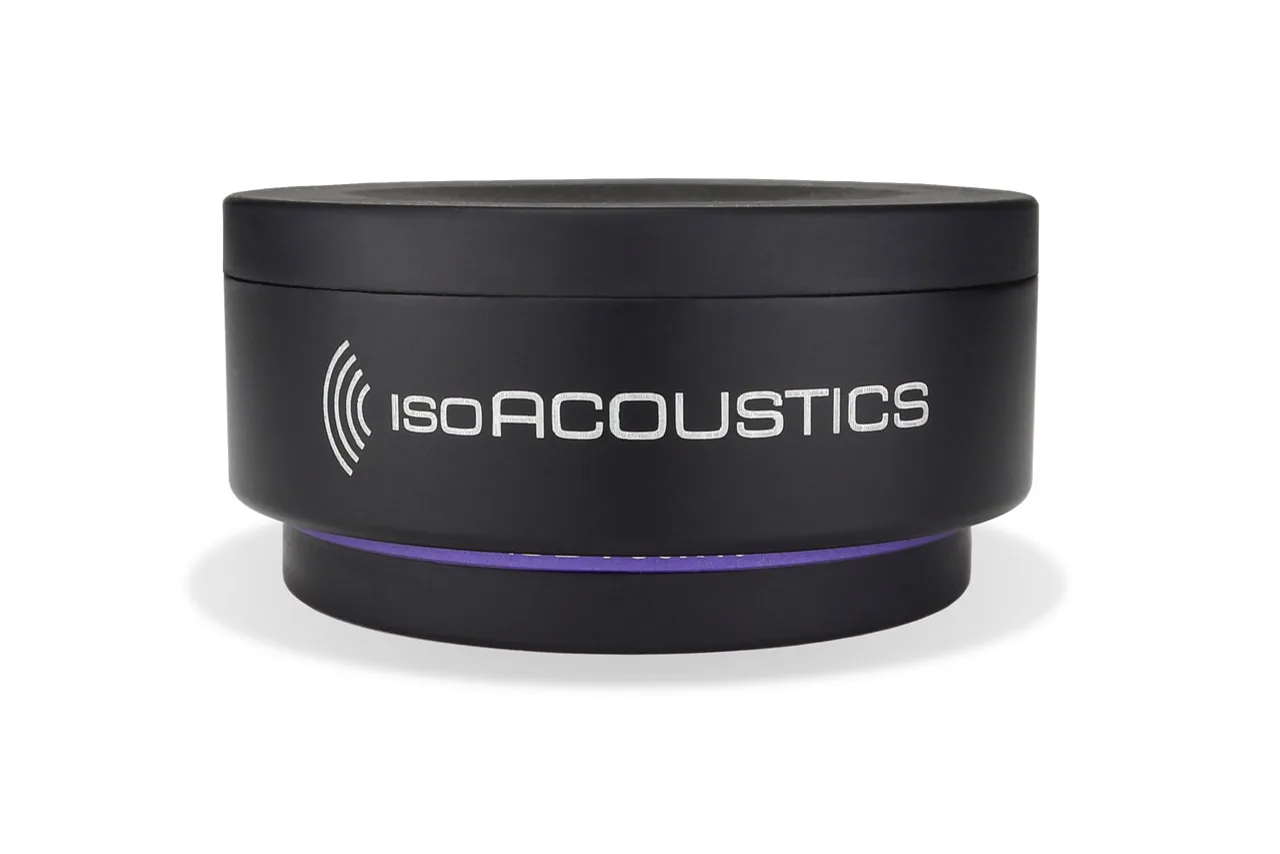
The best monitor isolation pad is the one that fits the speaker, supports its weight, and leaves the tweeter aimed at your ears. That sounds obvious, but the products in this category use very different ideas: compact elastomer pucks, angled foam wedges, and heavy steel-backed platforms. This guide does not pretend there is a universal sound-quality winner. It matches each design to a desk or stand problem, then shows what the published load and geometry data can (and cannot) tell you.
Table of Contents
Which monitor isolation pad fits my support problem?
For a compact desk where height matters, the IsoAcoustics ISO-PUCK series is the easiest place to start. The pucks are low profile, resist sideways movement, and have published per-unit load ratings. For a small monitor that needs a deliberate upward or downward angle, Auralex MoPAD or MoPAD-XL gives you a foam wedge and angle pieces, with the manufacturer listing support up to 100 lb per monitor. For a heavier nearfield monitor on a shelf, Primacoustic Recoil is the most substantial design: its steel platform and published model-by-model load ratings make sizing less guessy.
| Best by situation | Shortlist | Why |
|---|---|---|
| Low profile on a desk or meter bridge | ISO-PUCK or ISO-PUCK 76 | Compact footprint, lateral resistance, and published per-puck capacity |
| Need a fixed listening angle | Auralex MoPAD/MoPAD-XL | Foam wedge format with selectable angle pieces |
| Heavy monitor on a resonant shelf | Primacoustic Recoil | Steel stabilizing platform, thick isolation foam, and many size/load options |
| Already have a solid, non-resonant support | Possibly none | A pad is not automatically an audible upgrade or a substitute for correct placement |
What do monitor isolation pads actually do?
A loudspeaker pushes air, but its cabinet and woofer also produce reaction forces. On a light desk or hollow shelf, some of that energy can travel into the support, excite panels, and return as vibration or coloration. A pad inserts a compliant layer between the speaker and the support. In the language of the Sound On Sound decoupling discussion, the pad acts as part of a mass-spring system intended to reduce energy entering a resonant desk or shelf.
That does not mean every pad removes every vibration. The result depends on the speaker mass, the support's stiffness, the pad's compliance, and the frequency of the motion. A soft layer can reduce one path while allowing too much rocking if the speaker is not stable. A rigid mass-loaded platform can stop cabinet movement while its foam base decouples the platform from the shelf. Neither design fixes a room mode, poor speaker placement, or reflections from a bare wall.
There is also an aiming question. Raising a speaker changes the tweeter height; an angled pad changes the axis. A small change can be useful when the monitors sit below ear level, but a large tilt can aim the tweeter above or below the listening position. Set the geometry before judging sound, and match left and right angles exactly.
Is the IsoAcoustics ISO-PUCK the best low-profile option?
ISO-PUCK is the most flexible choice when you need isolation without adding a large wedge under each monitor. IsoAcoustics lists three models. The ISO-PUCK mini measures 1.7 by 0.9 inches and carries a rating of 6 pounds per unit. The standard ISO-PUCK measures 2.4 by 1.2 inches and carries a rating of 20 pounds per unit. The ISO-PUCK 76 measures 3 by 1.5 inches and carries a rating of 40 pounds per unit. Those are per-unit figures, so do not compare them directly with a speaker's total weight without checking how many pucks the manufacturer recommends.
The series uses an upper flange that grips the cabinet and a lower section that anchors to the support. The low profile is useful on a meter bridge, console, desktop, or existing floor stand where another inch or two would put the tweeter too high. The tradeoff is that pucks do not give you a broad, continuous foam platform. You must place the correct number under stable points on the cabinet, and a very small or unusually shaped speaker may need more careful spacing than a rectangular nearfield.
Independent coverage is not a controlled brand ranking. IsoAcoustics' page links a Tape Op ISO-PUCK review that reports clearer imaging and decoupling with suitably sized monitors. Treat that as a reviewer observation, not a promise that every desk will gain the same bass or stereo change. If height or tilt is the main problem, compare the ISO-155 or another stand rather than stacking pucks and improvising an unstable angle.
Is the Auralex MoPAD or MoPAD-XL the best angled foam option?
Auralex MoPAD is the familiar foam-wedge approach. The official MoPAD product page shows the pad set with selectable angle pieces, while the MoPAD-XL page is the larger version for a larger cabinet footprint. The angle inserts can be useful when a desk places the speakers below the ear line or when the monitors need a small downward tilt for a closer listening position.
Foam is simple, light, and comparatively easy to cut or reposition, but it is not automatically the right match for a heavy cabinet. Auralex's current MoPAD specification lists support up to 100 lb per monitor, and the MoPAD-XL specification lists the same per-monitor limit plus a pair supporting one horizontal speaker up to 200 lb. Both pages list five angle positions: -8°, -4°, 0°, +4°, and +8°. Stay within those published limits; if the foam visibly compresses or lets the cabinet rock, the problem is stability and fit, not something to solve by inferring extra capacity from the word “XL.”
MoPAD is a good fit when the physical problem is mainly angle, footprint, and a modest amount of desk coupling. It is less compelling when the desk itself flexes under bass or the speaker needs a broad, inert base. Auralex's current page showed a $39.99 listing and shipping language when captured, but retail price and stock can change. Evaluate it as a geometry tool first; do not buy it solely because a product roundup calls foam pads “soundproofing.” They are not soundproofing.
Is Primacoustic Recoil the best platform for heavy monitors?
Primacoustic Recoil takes a different route. Its high-density open-cell foam base carries a 1/4-inch steel platform, a curved front lip, and a non-skid surface. The official Recoil range page publishes model-specific capacity and height information, from 32 pounds for the RX5 through 144 pounds for the RX20. The smaller RX5 and RX7 are available in flat, 5-degree-down, and 10-degree-up versions; larger RX9 and RX12 options include flat and 5-degree-down versions, while RX17 and RX20 are flat-only.
Primacoustic's RX5, RX7, RX9, RX12, RX17, and RX20 sizes are not interchangeable. Measure the cabinet base and leave the platform stable on the shelf. A Recoil that is too small can leave a corner unsupported; a very large unit can consume valuable desk depth and move the speaker farther into the room.
AudioXpress's technical review describes the foam base as 2.25 inches thick and reports reduced shelf vibration and subjective gains in bass clarity and stereo definition with an RX7-HF. The author labels the listening test subjective and notes that Primacoustic does not publish an isolation specification. The design and load data are concrete; the size of any sonic improvement depends on the speaker and support.
How do I check fit, load, and desk geometry for monitor pads?
Start with the actual monitor weight, not the product's marketing class. For ISO-PUCK, divide only according to the manufacturer's recommended number and keep every puck inside a strong part of the cabinet base. A 20-pound speaker does not automatically mean one 20-pound-rated puck is enough; two or more supports distribute the load and resist tipping. For Recoil, choose a model whose published maximum exceeds the total cabinet weight and whose platform is larger than the base. For MoPAD and MoPAD-XL, stay within Auralex's published 100-lb-per-monitor limit and confirm that the pad's footprint fully supports the cabinet.
Next, measure depth. Many desks have a shallow rear shelf where the monitor already overhangs the edge. A pad can add depth, especially a steel Recoil with a front lip. Make sure the cabinet and platform cannot slide forward when you bump the desk. Keep the left and right monitors at the same height, with tweeters aimed toward the listening position and enough clearance from the rear wall for the speaker's own porting design.
Finally, check stability with the monitors disconnected. A pad should not turn a stable speaker into a rocking one. Push lightly at the cabinet corners; if it teeters, improve the support or change pad placement before playing bass-heavy material. Isolation and stability are linked: a pad that reduces vibration but lets the speaker move can create a different problem.
Do You Need Isolation Pads?
Not necessarily. The Sound On Sound discussion includes a counterexample: a setup that already avoided audible resonance with a stable support. If your desk is heavy, the desk holds the monitors firmly, and touching the surface while playing does not reveal a problem, a pad may deliver a small or ambiguous change. Money may be better spent on speaker stands, positioning, or basic room treatment.
Pads become easier to justify when the desk visibly vibrates, a shelf rings, the speakers slide or recoil, the tweeters are at the wrong height, or the same monitor sounds noticeably different on a rigid stand. They can reduce one source of structure-borne energy and make positioning repeatable. They cannot absorb reflections, fix bass modes, or make an undersized speaker produce deep bass.
How do I set up monitor isolation pads?
- Record each monitor's actual weight and cabinet footprint.
- Choose a product with a published load rating when the cabinet is heavy or the support is shallow.
- Place the monitors symmetrically and keep every support under a strong, stable part of the cabinet.
- Set tweeter height and angle before comparing sound.
- Play familiar bass material and check the desk, shelf, and cabinet for unwanted movement.
- Compare with and without pads at the same listening level; do not treat a louder result as automatically better.
For more speaker-buying context, see our Onkyo GX-10DB monitor review, the Audioengine HD6 review, and the broader speakers section.
Frequently Asked Questions
Do monitor isolation pads improve sound?
They can reduce structure-borne vibration and improve stability, but the audible result depends on the speaker and support. No credible evidence supports the same improvement for every desk.
Are ISO-PUCKs better than foam pads?
They solve different problems. ISO-PUCK offers a compact footprint and published per-unit capacity; foam wedges such as MoPAD are useful when angle and broad cabinet support matter. Choose by fit and load, not a universal ranking.
Can isolation pads soundproof a desk or room?
No. They reduce a path for vibration between a speaker and its support. They do not soundproof the room or replace acoustic treatment.
What if my monitor is heavier than a pad's rating?
Do not use it. Choose a model with a higher published capacity and a platform that fully supports the cabinet, or contact the manufacturer for sizing advice.
Should pads be angled toward me?
Use an angle only when it puts the tweeter on axis at the listening position. Match both sides and check stability after installation.
How much weight can each monitor isolation pad hold?
Published load ratings tell you which pad can hold your monitor. Check the per-unit or per-monitor figure before you buy.
- The standard ISO-PUCK is rated for 20 pounds per unit, so check how many pucks the manufacturer recommends. (isoacoustics.com)
- Auralex lists MoPAD support up to 100 lb per monitor, so a heavier cabinet needs a different product. (auralex.com)
- A pair of MoPAD-XL pads supports one horizontal speaker up to 200 lb.
- Recoil ratings run from 32 pounds on the RX5 to 144 on the RX20, so size by total weight. (primacoustic.com)
- AudioXpress describes the Recoil foam base as 2.25 inches thick and reports reduced shelf vibration with an RX7-HF. (audioxpress.com)