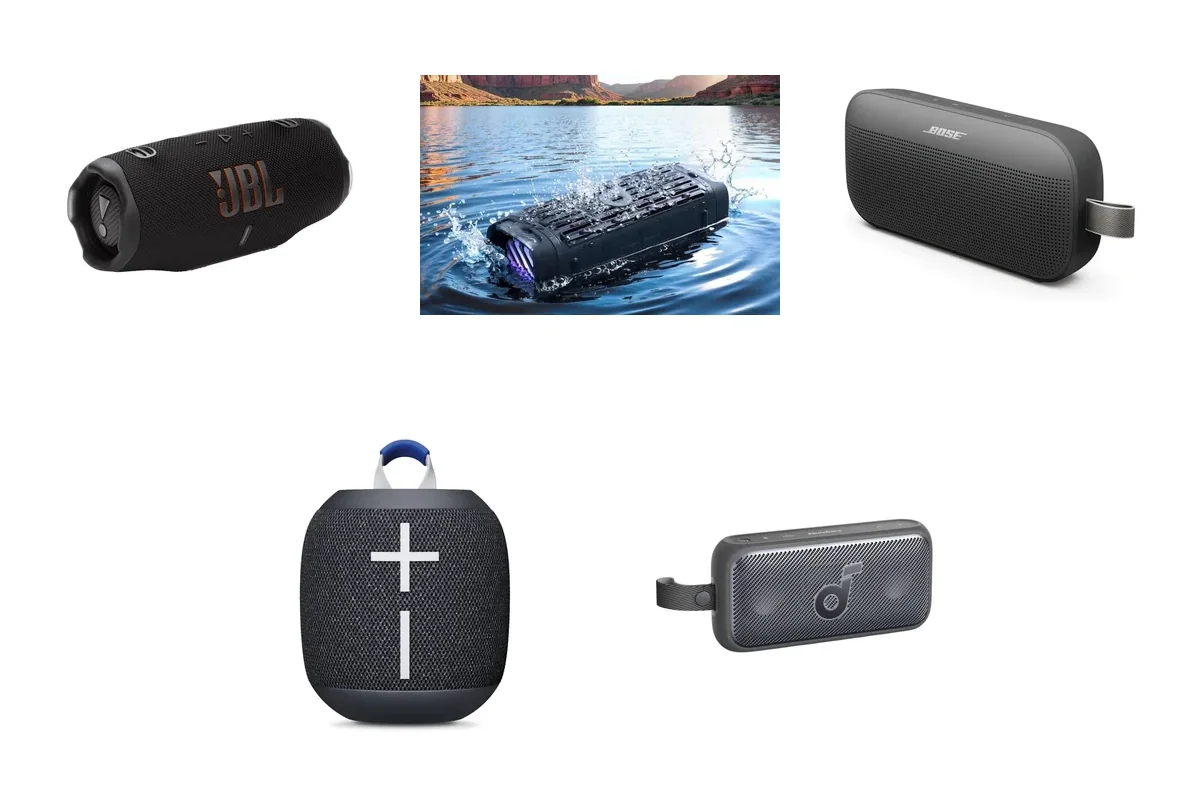
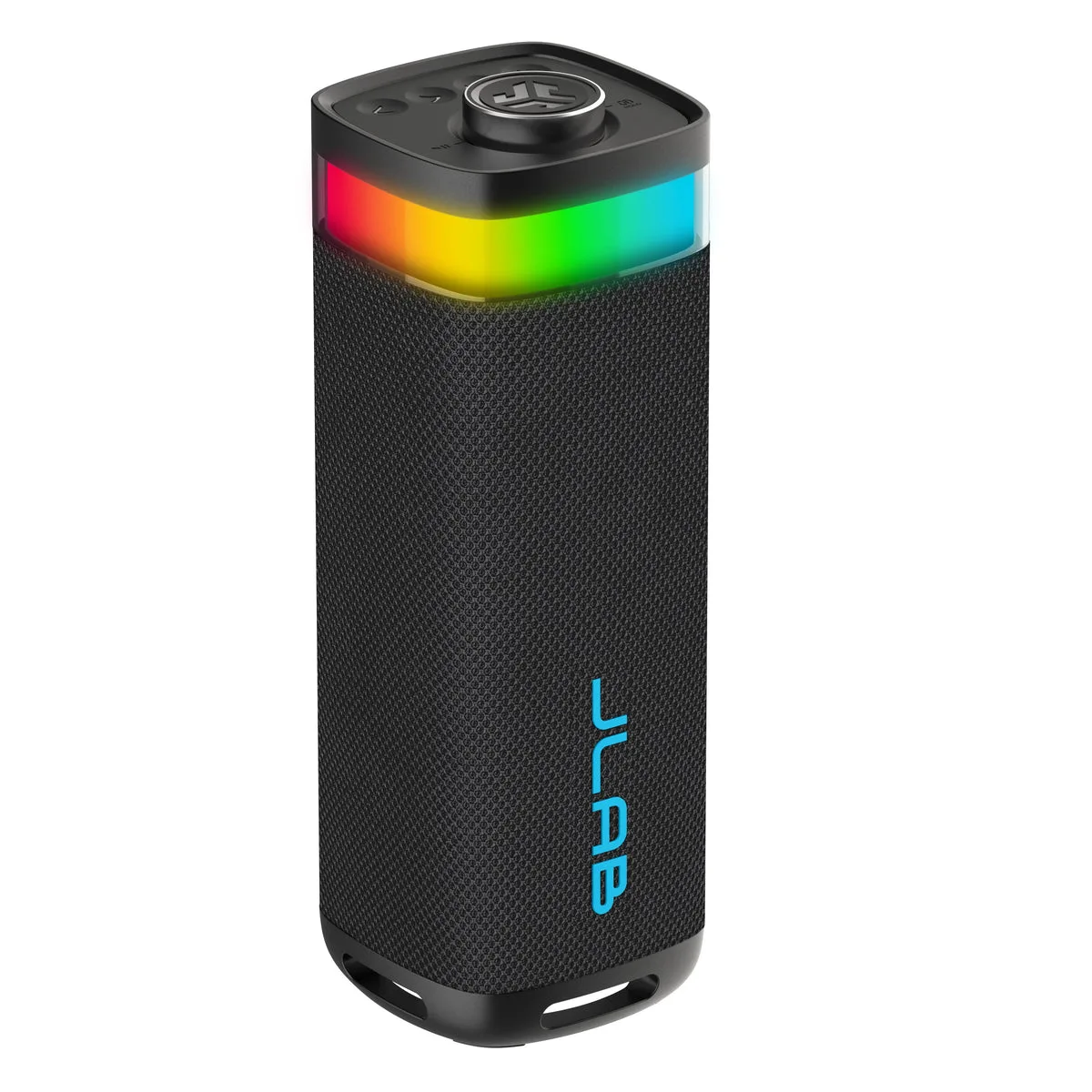
The JLab JBuds Party is worth buying if you want a cheap, loud, light-up speaker for casual get-togethers and you care more about a real volume dial and JLab's LabSync linking than about clean bass. Skip it if sound quality comes first: Tom's Guide found the bass compressed and the vocals muddy, and said JLab's own cheaper Go Party sounded better.
The feature list is generous for a budget speaker. JLab's US product page lists 30 watts RMS, IP56 dust and water protection, up to 12 hours of playback with the lights off, a 3.5 mm aux input and a speakerphone mic. The two independent reviews we found disagree on the sound, so treat it as a party gadget first and a music speaker second.
ArmorSound did not test this speaker in person. This review is built from JLab's product page and support documents plus published reviews from Tom's Guide and DigitalReviews, credited as we go.
Fun lights and controls, but the sound verdict is split
The JBuds Party has the features a casual party speaker needs: IP56, a 12-hour battery claim, LabSync and a real volume dial. Tom's Guide found its bass compressed and preferred JLab's cheaper Go Party, so buy it for lights and loudness, not fidelity.
- Casual parties with RGB lights
- Owners of other JLab Party speakers
- Pool decks and patios
- Clean bass is your priority
- You want to plug in a mic or guitar
Where to buy
 Our verdict
JLab JBuds Party
Best for: Casual parties that want lights
- Output
- 30W RMS
- Battery
- Up to 12 hrs (10 with lights on)
- Water/dust
- IP56
- Weight
- 1,330 g (2.93 lb)
- Inputs
- Bluetooth 5.3, 3.5 mm aux
- Top volume dial and on-speaker EQ button
- LabSync with up to 100 JLab Party speakers
- IP56 dust and water protection
- Aux input and speakerphone
- Tom's Guide found compressed, muddy bass
- No mic or guitar input
- Heavy for its size
Watch for: Tom's Guide said the cheaper JLab Go Party sounded better, so the extra money buys loudness and features rather than better sound.
Check price on Amazon →What are the JLab JBuds Party's key specs?
| Spec | JLab JBuds Party |
|---|---|
| Output power | 30W RMS |
| Drivers | Two 2.5-inch full-range drivers, two 2-inch passive woofers |
| Frequency response | 60 Hz to 20 kHz |
| Bluetooth | 5.3, SBC and AAC |
| Battery | 7.4V 5,000 mAh; up to 12 hours (10 hours with RGB lights on) |
| Charging | USB-C, about 3 hours; cable included, no wall charger |
| Water and dust | IP56 |
| Wired input | 3.5 mm aux (no mic or guitar jack) |
| Weight | 1,330 g (2.93 lb) |
| Size | 3.35 x 4.13 x 9.76 inches |
How does the JLab JBuds Party sound?
JLab pairs two 2.5-inch full-range drivers with two 2-inch passive woofers and rates the system at 30 watts RMS. That is three times the 10-watt rating of the smaller Go Party, so it should play louder. The spec sheet says nothing about distortion or how well the bass holds together at high volume.
Tom's Guide's Erin Bashford was unimpressed in her January 2026 JBuds Party review. She described vocals that sounded muffled, bass that turned compressed and muddy, and a crackle at the end of a bass-heavy track. She kept the EQ on JLab Signature because the Balanced and Bass Boost presets made the distortion worse, and her verdict was to buy the $34 Go Party instead.
DigitalReviews reached the opposite conclusion in a review published December 10, 2025. Its reviewer called the bass punchy rather than muddy, the mids clear and the volume headroom so large that a coworker kept turning it up while complaining about his ears. JLab supplied that review unit, which the site disclosed.
Both reviews agree it gets loud. If you mostly play bass-heavy tracks at high volume, start with the JLab Signature preset, and buy from a store with an easy return window so you can judge the low end in your own space.
What are the JBuds Party's design, controls and app like?
At 1,330 grams (2.93 pounds) and nearly 10 inches tall, the JBuds Party is heavier than it looks. DigitalReviews called it portable in the throw-it-in-the-car sense, not the clip-it-to-a-backpack sense. A loop handle on top makes it easy to carry or hang, and Tom's Guide found the body rugged even though it disliked the dated mesh look.
The controls are the part both reviewers liked. A large knob on top changes volume and plays or pauses with a press. Separate buttons handle power and light patterns, track skipping and EQ presets, so you can run a party without passing your phone around. Tom's Guide called the dial its favorite design feature and noted that everything except firmware updates works from the buttons.
The free JLab app adds a custom EQ alongside the three presets (JLab Signature, Balance and Bass Boost). In the Lighting tab you pick from six animations and set color, speed and brightness. JLab's feature overview also lists a Battery Saver tab that can turn the lights off at a battery level you choose, plus a switch to silence voice prompts. DigitalReviews' reviewer used that switch after a spoken power-off announcement jolted her awake.
How long does the JBuds Party battery last, and what does IP56 mean?
JLab rates the 5,000 mAh battery at up to 12 hours with the lights off and 10 hours with the RGB lighting running. A full charge takes about three hours over USB-C. JLab includes a USB-C cable but no wall charger, and lists 20W as the input power.
Neither review ran a formal rundown test. Tom's Guide reported the battery at 40 percent after about eight hours of low-volume listening, and DigitalReviews said JLab's figures held up across several days of mixed use. The smaller Go Party claims 16 hours, so the bigger speaker gives up some runtime for its extra power.
IP56 means protection against dust and against strong water jets. It is not a submersion rating: a splash from the pool is fine, a dunk is not. Tom's Guide's spec table lists IPX6, but its own text and JLab's spec sheet both say IP56. Our IP ratings explainer breaks down what each digit covers.
The USB-C port sits behind a rubber gasket that you pull out to charge, and JLab's feature overview says to reseal it afterward to keep water and dust out. DigitalReviews found the gasket a little fiddly. Owner feedback on durability is still thin; there is a thread about the speaker on r/Bluetooth_Speakers, but a handful of posts cannot show long-term reliability, so keep your receipt.
How do LabSync, Bluetooth and range work on the JBuds Party?
LabSync is JLab's party mode. JLab says it links up to 100 JLab Party speakers, and JLab's support specification page names the Pop Party, Go Party and Epic Party as compatible. The speaker connected to your phone goes into Cast mode, and the others join in Receive mode when you hold the volume wheel for two seconds. In the app you can assign left and right channels for a stereo pair and choose whether volume and lighting stay in sync.
Tom's Guide set up LabSync with a Go Party without trouble and said the pair sounded better than one speaker. LabSync is limited to JLab's Party speakers, so do not count on grouping the JBuds Party with a JBL or Sony speaker you already own.
Range impressed Tom's Guide: the speaker stayed connected through three doors, five large rooms and two flights of stairs. JLab lists Bluetooth 5.3 with SBC and AAC, and DigitalReviews' reviewer reported switching between a phone and a laptop without re-pairing.
Can the JBuds Party handle calls, wired inputs and karaoke?
The JBuds Party has one built-in microphone, and it is for speakerphone calls. JLab lists two physical ports, USB-C for charging and a 3.5 mm aux input. There is no 6.35 mm mic or guitar jack, no echo control, and JLab lists no wireless mic option.
Tom's Guide made the same point, noting that a mic input is something you find on pricier party speakers such as the Tribit StormBox Blast 2. If singing is part of the plan, our karaoke speaker guide covers models with mic inputs, and the karaoke vs party speaker explainer shows what to look for.
The aux input still earns its place for a laptop, a TV or an older phone. DigitalReviews says speakerphone calls sounded clear enough, as long as you sit close to the speaker.
Who should buy the JBuds Party, and who should skip it?
Buy it if:
- You host casual get-togethers and want lights plus a volume dial anyone can grab.
- You already own a JLab Party speaker and want a bigger one for LabSync.
- You need IP56 protection for a pool deck or patio.
- You want an aux input on a budget speaker.
Skip it if:
- Clean bass and clear vocals matter most. Tom's Guide pointed buyers to the JBL Flip 7 or the Fender x Teufel Rockster Go 2 instead.
- You want karaoke. With no mic jack, look at a speaker built for singing, such as the Soundcore Rave 3S, which ships with two wireless mics.
- You want the lightest JLab. The Go Party weighs about half as much.
What alternatives to the JLab JBuds Party should you consider?
| Feature | JLab JBuds Party | JLab Go Party | JBL Flip 7 | Tribit StormBox Blast 2 |
|---|---|---|---|---|
| Rated output | 30W RMS | 10W RMS | 25W + 10W RMS | 200W (AC), 180W (battery) |
| Claimed battery | 12 hrs (10 with lights) | 16 hrs (8 with lights) | 14 hrs, 16 with Playtime Boost | 30 hrs (50% volume, XBass and lights off) |
| Water/dust rating | IP56 | IP56 | IP68 | IP67 |
| Weight | 2.93 lb | 660 g (1.46 lb) | 1.23 lb | 15.76 lb |
| Mic input | No | No | No | Two 6.35 mm |
| Wired audio | 3.5 mm aux | None | USB-C audio | Not listed |
JLab Go Party. The budget pick from the same family. JLab lists 10 watts, IP56, the same LabSync and app support, and a 16-hour battery claim (8 hours with the lights on) at 660 grams. It drops the aux input. Tom's Guide preferred its sound to the JBuds Party's, so buy it if you want the cheaper, lighter JLab and do not need a wired input.
JBL Flip 7. The better-sounding option, according to Tom's Guide's recommendations. JBL rates it at 25 watts for the woofer plus 10 for the tweeter, IP68 dust and water protection and 14 hours of playback, or 16 with Playtime Boost, in a 1.23-pound body. It has no lights to speak of and no aux jack, but it takes lossless audio over USB-C. Read our JBL Flip 7 review, or our Fender x Teufel Rockster Go 2 review for the other speaker Tom's Guide suggested.
Tribit StormBox Blast 2. The step up if you want a real party speaker with karaoke. Tribit lists 200 watts on AC power, IP67, two 6.35 mm mic inputs with reverb and a 30-hour battery claim at 50 percent volume with XBass and lights off. At 15.76 pounds it is a different class of speaker to carry. Our StormBox Blast 2 review covers it in detail.
Frequently asked questions
Is the JLab JBuds Party waterproof?
It is rated IP56, which means dust protection plus resistance to strong water jets. It can handle rain or a splash from the pool, but it is not built to be submerged, and JLab does not say it floats. Keep the rubber gasket over the USB-C port sealed whenever you are near water, and let the port dry completely before you charge it.
Can you plug a microphone into the JBuds Party?
No. JLab lists only a USB-C charging port and a 3.5 mm aux input, and the built-in microphone is for speakerphone calls. There is no 6.35 mm mic or guitar jack and no echo control. For karaoke, choose a party speaker with a mic input or one that ships with wireless microphones, such as the Soundcore Rave 3S.
How long does the JBuds Party battery last?
JLab claims up to 12 hours with the lights off and 10 hours with the RGB lighting on, from a 5,000 mAh battery that takes about three hours to recharge over USB-C. Tom's Guide saw 40 percent left after roughly eight hours at low volume. Louder playback and the light show will both shorten that.
Can you pair two JBuds Party speakers for stereo?
Yes. LabSync lets you link the JBuds Party with other JLab Party speakers, up to 100 in total according to JLab, and the JLab app lets you assign left and right channels for a stereo pair. You can also choose whether volume and lighting stay synced. LabSync does not work with other brands' speakers.
Is the JBuds Party better than the JLab Go Party?
It is bigger, louder on paper and adds an aux input, with a 30-watt rating against the Go Party's 10 watts. Tom's Guide still preferred the Go Party's sound and called it the better buy. The Go Party also claims longer battery life with the lights off and weighs half as much, so it suits travel better.
Sources
- JLab: JBuds Party product page and tech specs
- JLab Support: JBuds Party feature overview
- JLab Support: JBuds Party support page
- Tom's Guide: JLab JBuds Party review (January 2026)
- DigitalReviews Network: JLab JBuds Party review (December 2025)
- JLab: Go Party product page and tech specs
- JBL: Flip 7 spec sheet (PDF)
- Tribit: StormBox Blast 2 product page and FAQ
What do the JBuds Party's numbers mean for a buyer?
These figures come from JLab's product page and Tom's Guide's review. Here is what each one means in daily use.
- The 30 watts RMS rating is three times the Go Party's 10 watts, so it should play louder.
- JLab claims up to 12 hours with the lights off. (jlab.com)
- Tom's Guide saw 40 percent battery left after about eight hours of low-volume listening. (tomsguide.com)
- The IP56 rating means it handles dust and strong water jets, but not a dunk in the pool. (jlab.com)