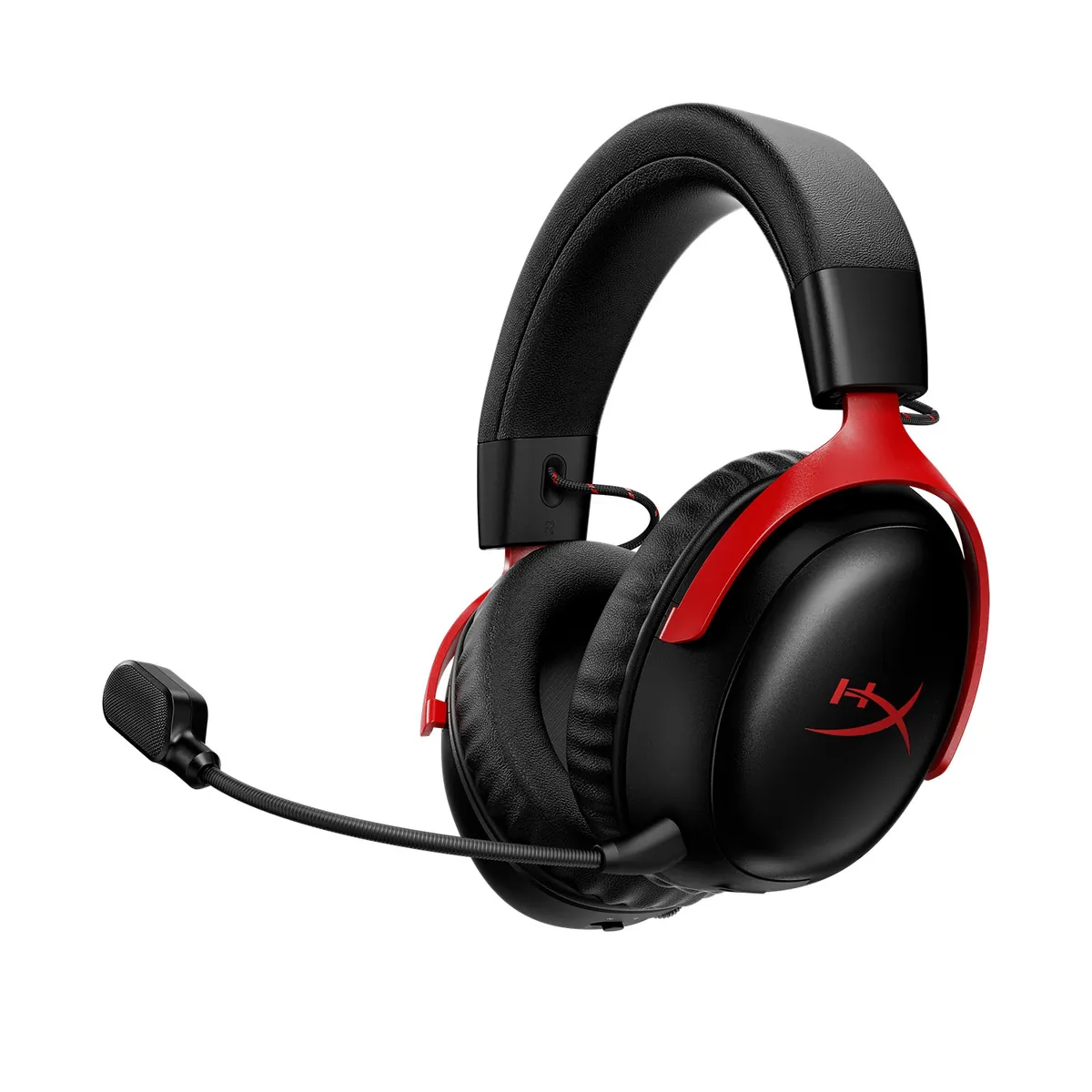
The HyperX Cloud III S Wireless is the Cloud headset to buy when you want both a 2.4GHz dongle and ordinary Bluetooth in the same comfortable gaming headset. HyperX rates it for up to 120 hours over 2.4GHz and up to 200 hours over Bluetooth, and independent reviews agree that the battery is unusually strong. It has no Xbox support and no 3.5mm wired mode. It is a good fit for PC, PS5, Mac, Switch, and mobile users who value long battery life and a detachable boom mic; it is the wrong pick if you need Xbox compatibility or a cable fallback.
Table of Contents
Is the flexible Cloud III S worth it, and what are its two deal-breakers?
The Cloud III S makes the most sense for someone who moves between a gaming PC and a phone, or who wants a console headset that can also handle Bluetooth audio. HyperX lists PC, Mac, PS5, mobile, and Switch compatibility, plus a 2.4GHz USB connection and Bluetooth 5.3. HyperX does not list Xbox. SoundGuys’ review likewise calls out the absence of Xbox support, so do not infer it from the similar name or from a USB dongle.
| Best for | PC, PS5, Mac, Switch, or mobile gaming with 2.4GHz and Bluetooth available |
|---|---|
| Strongest feature | Very long rated battery life with a detachable boom and built-in backup microphones |
| Main compromise | No Xbox support and no analog cable mode |
| Buy when | You need Bluetooth as well as low-latency wireless and find it near its $179.99 launch price or below |
| Skip when | You need a wired fallback, Xbox compatibility, or a headset that folds for travel |
Cloud III, Cloud III Wireless, or Cloud III S?
HyperX’s naming is confusing. The original Cloud III wired headset is the straightforward cable-connected model. The Cloud III Wireless uses a 2.4GHz USB adapter but, according to Tom’s Hardware’s comparison, does not add ordinary Bluetooth. The Cloud III S keeps the same broad Cloud III shape and 53 mm dynamic drivers, then adds Bluetooth, a second microphone system, a multifunction button, and removable speaker plates.
That makes “S” a connectivity and convenience upgrade rather than a completely different acoustic platform. The 2.4GHz dongle remains the sensible choice for games because it is the low-latency path. Bluetooth is more useful for a phone, a laptop, or a second audio source than for competitive play. The removable plates are cosmetic and functional controls, not a replacement for a carrying case: Tom’s Guide notes that the headset does not fold flat.
Do not buy a regular Cloud III Wireless because a retailer’s title says “Cloud III S,” and do not treat the wired Cloud III’s cable as an available backup on the S. The S has no analog 3.5 mm input, and the external reviews above describe it as a wireless-only headset. Check the model number A59YZAA and the included USB adapter before opening a marketplace listing.
What does the Cloud III S connect to, and which platforms does it support?
On a PC, the useful arrangement is simple: use the USB dongle for game audio and switch to Bluetooth when you want to pair a phone or another compatible device. HyperX specifies Bluetooth 5.3, a rated range of up to 20 metres, and SBC, MPEG-2, and AAC-LC support. Those are manufacturer specifications, not a promise that every room or phone will reach that distance. HyperX’s NGENUITY software is also a Windows tool, so Mac and console owners should not expect the same software control surface.
The missing Xbox path is the deciding limitation. SoundGuys and Tom’s Guide both identify the lack of an Xbox version or support. HyperX lists PS5 and Switch, but console USB behavior can still depend on the console generation, port, and firmware. If a headset must work on Xbox today, look at a platform-specific alternative rather than gambling on a generic USB adapter.
There is no wired rescue if the battery is flat or a source does not support the wireless connection. That is a meaningful distinction from many music headphones and from wired gaming headsets. It also means the Cloud III S is not an ideal single headset for a desk, an airplane, and every console unless all of those devices fit its wireless compatibility list.
How long does the Cloud III S battery last, and is it comfortable every day?
HyperX rates the Cloud III S for up to 120 hours on 2.4GHz and up to 200 hours on Bluetooth, with a five-hour charge time. HyperX says the rating uses a 50% volume continuous test and varies with use. SoundGuys and Tom’s Hardware both found the endurance unusually good in normal use, while their launch-price reporting put the original price at $179.99.
The headset weighs 340 g before the boom microphone according to HyperX’s specification table, and the boom is detachable. That is not a lightweight travel headset, but the Cloud III S uses a padded headband and large closed-back earcups. Tom’s Guide found it comfortable for long sessions but noted that the earcups can become warm. That is the trade to watch if you play in a hot room: the cushion can feel secure while still trapping heat around the ears.
The long battery mostly reduces charging anxiety, and not every owner will reach the rated maximum. Bluetooth, higher volume, microphone use, EQ, and time spent powered on all change endurance. Charge it before a trip, and remember that the five-hour full-charge figure is a manufacturer rating rather than a quick-charge promise.
How good are the Cloud III S sound and microphones?
Headphones.com describes a relaxed tuning, low clamp, and a useful EQ you can save to the headset. You can adjust the balance for games or music instead of relying on the default tuning. Its review also found the detachable boom serviceable for chat rather than a broadcast microphone, and the built-in Bluetooth microphone convenient but less isolated.
The boom-versus-built-in choice is practical. Use the detachable boom for a game party or a work call when voice clarity matters; use the built-in microphones when you are listening from a phone and do not want a boom in the frame. StreamTech Reviews’ Cloud III comparison reports that the S boom can sound more processed than the wired Cloud III, while its built-in microphone is the weaker option. That is a reviewer observation, not a universal measurement.
Sound preference is similarly personal. Two recent r/HyperX buyer threads compare the Cloud III S with the Razer BlackShark V2 Pro and Logitech G Pro X 2. Those are purchase discussions, not controlled tests. They show that out-of-box sound and competitive-footstep performance are the live questions buyers ask, but they do not establish a community consensus. Use the return policy if the default tuning does not work for your hearing.
What does the Cloud III S cost, and what are the alternatives?
Price has moved considerably by market and retailer. Independent launch-era reviews put the Cloud III S at $179.99, while HyperX’s regional product page showed $249.99 when checked for this guide. That is not a like-for-like US price, and retailer discounts may be temporary. At $179.99 or less, Bluetooth plus the battery makes the S easier to recommend. At a much higher price, compare the current platform-specific competition before paying for convenience.
If you need Xbox, start with an explicitly Xbox-compatible headset rather than this model. If you want a more conventional premium wireless competitor, read the Razer BlackShark V2 Pro review and check the exact 2023 platform SKU. If you prefer a music-oriented Bluetooth headset with a cable option, a standard wireless gaming model or the Sennheiser Accentum Plus may make more sense, though neither is a drop-in replacement for low-latency console gaming.
The Cloud III S is strongest as a focused PC/PS5/Switch purchase: comfortable closed-back fit, dual wireless modes, a removable boom, and battery figures that minimize charging. It is not the universal headset its name might suggest. No Xbox, no 3.5 mm, and some heat around the earcups can decide the purchase.
Frequently Asked Questions
Does the HyperX Cloud III S work with Xbox?
HyperX lists no Xbox support, and independent reviews from SoundGuys and Tom’s Guide flag the same limitation. Choose a headset with an explicit Xbox SKU if that console matters.
Does it have Bluetooth?
Yes. The Cloud III S combines a 2.4GHz USB connection with Bluetooth 5.3. Do not assume the regular Cloud III Wireless has the same Bluetooth feature.
Can I plug the Cloud III S in with a 3.5 mm cable?
No. This is a wireless-only model with no analog fallback. Plan to keep it charged and verify compatibility with the device you intend to use.
How long does its battery last?
HyperX rates it for up to 120 hours on 2.4GHz and up to 200 hours on Bluetooth. Those are manufacturer figures from a 50% volume test; volume, EQ, microphone use, and connection mode change actual runtime.
Is the Cloud III S the same as the wired Cloud III?
No. They share the Cloud III family and 53 mm driver size, but the wired model uses a cable, while the S adds 2.4GHz and Bluetooth and removes the wired path. Check the exact product name and model number before buying.
What do the HyperX Cloud III S specs mean for you?
These figures come from HyperX specs and launch-era reviews. They show where the Cloud III S fits and what it costs.
- HyperX lists Bluetooth 5.3, so you can pair a phone or laptop without the USB dongle. (hyperx.com)
- HyperX rates up to 200 hours on Bluetooth at 50% volume, so louder listening runs shorter.
- The headset weighs 340 g before the boom, so it is not a lightweight travel pick.